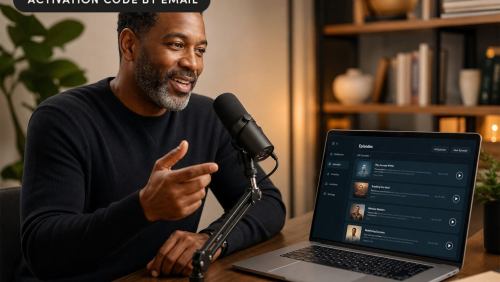
Seven Tips for Hosting Webinars that Rock
Opinions expressed by Entrepreneur contributors are their own.
 Are you looking to grow your business? Want to build deeper connections with existing customers? Maybe you’d like to give your business a higher profile?
If you answered yes to any of these questions, consider hosting a Webinar. You may have a blog, but connecting with customers and prospects live online can take your relationship to a whole new level.
Over the past year, I’ve used live events extensively to grow my business mentoring other freelance writers. I currently produce at least four a month. Not only are people paying to learn what I have to offer them, when I look at who my raving fans are on Twitter and other social media platforms, they are usually people who’ve attended one of my events.
I’ve tried out a lot of different Webinar platforms, ranging in price from free platforms such as Anymeeting and Join.me to mid-priced VOIP-only GVO Conference, to top-of-the-line providers WebEx and GoToWebinar. Each platform has its attractions and drawbacks, but I have found none are 100 percent reliable. I often see top experts and presenters who work on the pricey platforms rescheduling or providing encore presentations after the technology just plain refused to work.
There is a technical hump to get over, but it’s worth it. Hearing your voice — and if you do video streaming, seeing your face — builds trust and allows you to be more responsive by answering questions immediately. Further, by offering prospects a quick hit of training live online, they may pay for future sessions, too.
Here are my tips for producing your own Webinars:
1. Do the training. Whatever platform you choose, see what they offer in terms of videos or a trainingmanual, and go through every scrap of it. Check the specs and make sure your computers and microphones will work with your chosen platform.
2. Record a practice. Arrange to do a separate practice session with your presenters, and record it. Play it back and listen to how you sound. Consider writing a script or at least talking points so you have something to refer to as you present.
3. Have a co-presenter. Collaborating on live events with service partners is the way to go. You get another business to promote your event, double the expertise you offer your audience — and now someone can be talking or responding to chat questions while you’re frantically trying to fix whatever might be going technically wrong.
4. Go slow. Remember The King’s Speech? The slower you talk, the more authoritative you sound. Don’t rush or talk over other speakers. The presentation software tends to lag, so if you go too fast your audience may miss what you were trying to show them.
5. Stay calm when things go wrong. Run on the assumption that some issue will arise — someone’s screen will freeze, they won’t be able to hear, the slideshow won’t work, the entry or exit chimes won’t turn off, or your co-presenter’s computer will fry mid-presentation (these have all happened to me). Take a minute to try to resolve it, but if you can’t, apologize and move on. Otherwise, you risk losing the rest of your audience. If it’s really a disaster, offer a freebie item or recording of the event on email later, or schedule an encore.
6. Don’t try to do too much. My first one-hour Webinar covered 40 points. It was pretty frantic trying to get through it all. By contrast, I’ve seen fantastic events where just five points get covered. Remember, the point of most live events is to get participants to buy something from you after the event. Give them a small taste of what you have to offer and leave them wanting more.
7. Leave lots of time for Q&A. The number-one reason people come to live events is to get their questions answered. Too many Webinars run long and cut out the question time, which leaves participants unhappy, so keep an eye on the clock. Leave at least 10 minutes for questions in a one-hour presentation — 20 minutes is even better.
What are your questions about presenting Webinars? Leave a comment and I’ll try to answer below.
Are you looking to grow your business? Want to build deeper connections with existing customers? Maybe you’d like to give your business a higher profile?
If you answered yes to any of these questions, consider hosting a Webinar. You may have a blog, but connecting with customers and prospects live online can take your relationship to a whole new level.
Over the past year, I’ve used live events extensively to grow my business mentoring other freelance writers. I currently produce at least four a month. Not only are people paying to learn what I have to offer them, when I look at who my raving fans are on Twitter and other social media platforms, they are usually people who’ve attended one of my events.